

This articule will cover the scenario of an Software Engineer that has been performing multiple roles for a company throughout the years. How to represent all the activities in a way that actually make sense to the person who is reading the resume or cover letter.
Based on my experiencie working for a large IT Services Company, over the years I was acumulating experiencie working with different customers and their development teams in different roles: developer, technical lead, software architect, scrum master and even as a devops enabler. All this experience is great and I think we can represent it with any hussle on the paper. But, what about the activities that a senior member needs to perform for the actually employer company? For instance, Team Leader, Project Leader, Portfolio Manager, Engagement Manager, Agile Coach, Coach, Trainner, etc.
Inmediately, some questions come in mind:
- If I am working for my customer as a contractor 8 hours a day, 5 days a weeks and sometimes more. Can I mention that I work for them or should I mention the employer only?
- In parallel, I have been performing additional task for the actual employer company, how can I include this?
- How can I represent both things in a document that actually make sense to the reader?
Well, thinking on a solution to represent my working experience, the environment as well as the activities performed by me I started looking a sample CV. As usual, that first time I did it was to open the browser and search in google images. Lot of really nice templates I found but still nothing that I can actually use.
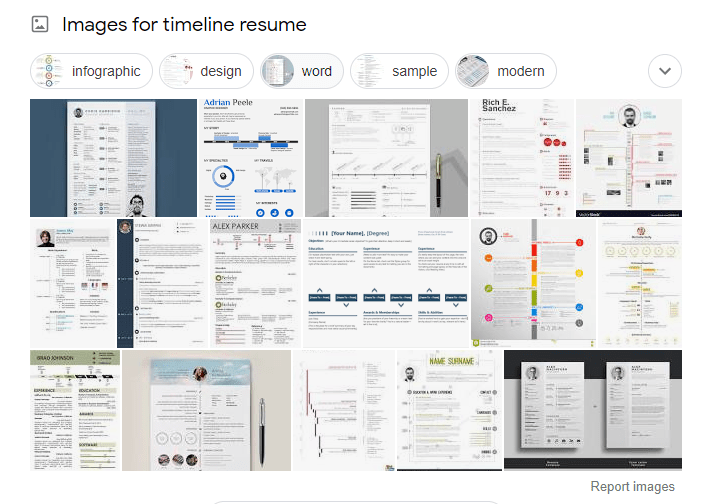
Another thing was bothering me, I wanted to keep the document short in just a single page. Even though I have 15 years of total experiencie in Software Development, I don’t think the first job I did 15 years ago is relevant now because even the technologies that I was using at that time are no longer available or changed completely in today’s world.
Nowadays, having a profile picture on the resume is expected, not mandatory though. Also, including a short description of the thing you are good at it, your interests, how your skills can contribute in the organization you are trying to get in, etc. Having all these in consideration I came up with a Microsoft Word Template, that I think cover most of the points. Please do not hesitate to comment on things that I might be mising.
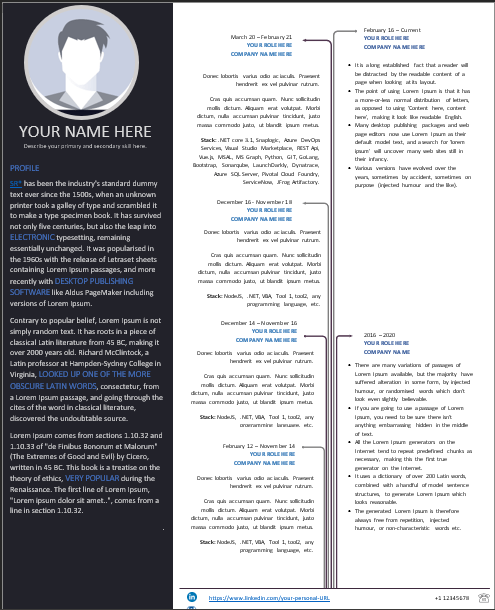
The idea behind this design is to represent both worlds, “the employee” on the right as well as “the contractor” on the left sections. The timeline is just a way to lead the eye over the activities, the role, the company as well as a description of the environment and the tools that were used.
I already shared this version of my resume for a job opportunity and the feedback I got was: “It was really clear”. So, if you think this design actually make sense to you, feel free to download a copy. It’s fully customizable. By the way, if you are looking to create your first resume with a really good template, you do it online from resume.io.
Thanks for stopping by.
Cheers!

 The journey of a Software Engineer